
Booke AI Review 2026: AI Bookkeeping for QuickBooks and Xero, Priced
What Booke's AI Bookkeeper costs a single business and a firm with 10 or 25 clients, what it does inside QuickBooks Online and Xero, and how the bill compares with Botkeeper, Digits, Puzzle and Hubdoc.

Booke AI is worth it for a business that already keeps its books in QuickBooks Online or Xero and pays someone to clear the bank feed every week. Its AI Bookkeeper (Business) plan costs $129 per business a month, per Booke's pricing page checked on November 9, 2026, and it works on top of your existing ledger rather than replacing it. Booke estimates at least two hours saved per business each month, so the plan pays back if that bookkeeping time costs you more than $64.50 an hour, our arithmetic. For firms with many clients it is harder to justify: accounting firm pricing is quote-only, while Botkeeper prints $79 to $59 per client license at 10 or more clients on monthly billing.
Key factsBest for: Companies on QuickBooks Online or Xero that want daily bank…
- An AI bookkeeper that categorizes and matches the bank feed inside your existing books, at one price per business.
- Booke plans: One self-serve Business plan priced per company, plus quote-only accounting firm pricing
- Ledgers supported: QuickBooks Online and Xero, on the bank feeds already connected there
- Refund window: Requests within 14 working days of the subscription start, if the service was not substantially used
- Toolradar data: Entry plan ranks #74 of 91 for price among tracked Accounting tools, November 2026
Pros
- Works on the bank feeds already in QuickBooks Online or Xero, with no new bank connection.
- Rules and confidence thresholds decide what posts, and exceptions arrive with a suggested entry.
- Every change is logged, and QuickBooks Online lines carry an Undo button.
Cons
- Firm pricing is quote-only, so multi-client costs cannot be compared before a sales call.
- Refund requests must come within 14 working days of the subscription start, and only if the service was not substantially used.
- Supports only QuickBooks Online and Xero, and you still pay for the ledger underneath.
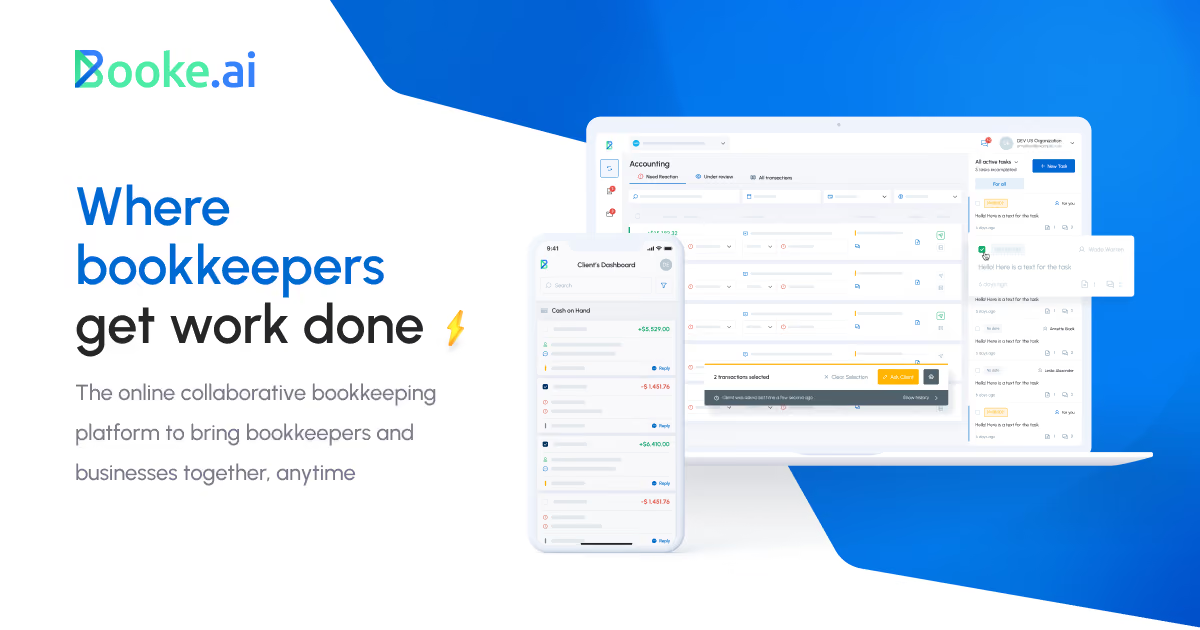
Booke AI sells one thing to two buyers. A business owner or controller invites its AI Bookkeeper into QuickBooks Online as a user, or connects Xero, and the AI works through the bank feed every day while a person reviews the exceptions.
An accounting firm gets the same engine across its client files, with a white-label option. Nothing about the ledger changes, which is the appeal and the limit: you keep paying for QuickBooks or Xero and add Booke on top.
That makes the buying question narrower than it looks. It is not whether AI can categorize transactions, since every tool on this page claims it does. It is whether one flat price per company beats paying a person for the hours the bank feed takes, and, for a firm, whether a quoted price will beat rivals that print per-client rates.
Toolradar data: Booke AI's entry paid plan ($129/mo, billed monthly) ranks #74 of 91 for price among the Accounting tools with a verified entry price and no stated unit, where the median is $35/mo. As of Nov 2026.
Source: Booke AI on Toolradar, snapshot of November 5, 2026.
Methodology: this page reads Booke's pricing page, its facts page for AI assistants, its terms and conditions, and the pricing pages of Botkeeper, Digits, Puzzle and Hubdoc, all on November 9, 2026, in US dollars. Yearly and multi-client totals are our arithmetic on those printed prices. It is a read of published terms, not a hands-on test of the software.
What is Booke AI?
Booke AI is AI bookkeeping software that works inside QuickBooks Online or Xero, made by Booke AI, Inc., registered in Wilmington, Delaware. Its facts page says more than 10,000 businesses and hundreds of accounting firms use it, in the US, UK, Canada and Australia.
The ledger stays the system of record; Booke is neither a new general ledger nor a team of human bookkeepers.
The product is one agent, the AI Bookkeeper. Each day it reviews new bank feed transactions, categorizes them, and matches them to existing or newly created records and to supporting documents such as bills, invoices, receipts and payments.
It uses the bank feeds already connected to your ledger, so there is no second bank connection to set up. Before the first run it studies up to two years of past transactions, vendors, chart of accounts and corrections, depending on what your setup makes available.
The two ledgers are not treated the same. In QuickBooks Online the AI prepares transactions for reconciliation and each categorized or matched transaction gets an Undo button; in Xero it also carries out reconciliation steps where your setup supports it.
A controller on NetSuite, Sage Intacct or another mid-market ERP is outside the product's scope, so compare the field in our best AI accounting software ranking instead.
How Booke AI works
Setup has three steps on Booke's pages: add the business, invite the AI Bookkeeper to QuickBooks Online or connect Xero, then choose your rules and review settings. From there the AI runs in Booke's cloud every day, so nobody needs to keep a computer on, and it posts only within the rules and confidence thresholds you set. Booke's own example rule is that every transaction over $50 needs a receipt.
Exceptions are where your team still works. Transactions the AI is unsure about, or that look unusual, arrive with a suggested treatment and the reason behind it. When an expected document is missing, the AI requests it instead of reconciling without it.
Corrections you approve, and edits made directly in the ledger, shape the next run, and every change is logged with when it happened and why.
That audit trail matters at month end, because a reviewer can see which earlier transactions drove each category; our month-end close checklist shows where that review fits.
Data stays separated by business. Each company gets its own isolated, encrypted "AI Brain" that learns only from that company's history, and Booke's terms say it never uses your data to train other clients' models. Booke cites AES-256 encryption and annual audits by Intuit and Xero.
Its terms also offer enterprise customers, typically 50 or more users or $50,000 or more in annual contract value, negotiated liability caps and support SLAs with financial remedies.
Booke AI key features
Booke AI pricing
Booke prints one self-serve price and one quote-only plan on its pricing page, checked on November 9, 2026. AI Bookkeeper (Business) is the only self-serve plan, priced per business a month for one company; the page also offers annual billing, so check the annual rate with Booke before you commit. Pricing is per business: adding a company mid-period creates a prorated charge, and from the next renewal it joins one combined subscription. AI Bookkeeper (Accounting Firms) is priced on request and adds multi-client management and white label. On monthly billing, one business costs $1,548 a year, our arithmetic.
The value test is time. Booke's facts page estimates at least two hours saved per business each month and up to 80% of manual bank feed work automated; both are the vendor's own figures. Two hours for the monthly price works out to $64.50 per hour saved, so a company paying an in-house bookkeeper or an outside firm less than that per hour, for less than two hours of feed work, gains little. Remember that Booke sits on top of your ledger subscription; our QuickBooks Online pricing breakdown covers that layer.
For firms, the printed rivals set the bar. Botkeeper sells one license per client at $149 a month for 1 to 4 licenses, $109 for 5 to 9, $79 for 10 to 24 and $59 for 25 or more, on monthly billing, with 10% off on annual billing. Ten clients cost $790 a month on Botkeeper against $1,290 if a firm paid Booke's Business rate for each, and 25 clients cost $1,475 against $3,225, our arithmetic. Digits starts at $65 a month and Puzzle at $30 a month, but both replace QuickBooks as the ledger; Hubdoc captures documents for $12 a month after a 30-day trial and does not categorize the feed.
| Plan | Price | Best for |
|---|---|---|
| Booke AI Bookkeeper (Business) | $129 per business/mo | One company in QuickBooks Online or Xero: daily categorization, document matching, OCR, rules, audit trail, email and chat support |
| Booke AI Bookkeeper (Accounting Firms) | Pricing by request | Everything in Business plus multi-client management, white-label client experience and priority onboarding |
| Botkeeper, 1 to 4 licenses | $149/license/mo monthly; $134 billed annually | One license per client entity, software only: AI categorization, bank reconciliation, journal entries, month-end review |
| Botkeeper, 10 to 24 licenses | $79/license/mo monthly; $71 billed annually | Same software-only license at the volume rate for mid-size firms |
| Botkeeper, 25+ licenses | $59/license/mo monthly; $53 billed annually | Lowest published per-client rate for larger firms |
| Digits Essentials | $65/mo | AI-native ledger for solopreneurs and early-stage companies, with real-time financials and AI bookkeeping |
| Digits Core | $100/mo | Adds revenue and spend integrations and custom dashboards for growing companies |
| Puzzle Core | $72/mo monthly; $60 billed yearly | Ledger built to replace QuickBooks, 5 seats, spend and revenue insights, variance analysis |
| Puzzle Complete | $120/mo monthly; $100 billed yearly | Unlimited seats, AI reconciliations and accuracy review, revenue recognition, 100 AI credits a month |
| Hubdoc | $12/mo after a 30-day trial | Document capture that extracts data from bills, receipts and statements and syncs to Xero or QuickBooks |
Booke AI pros and cons
What we like
- Works on the bank feeds already in QuickBooks Online or Xero, with no new bank connection.
- Rules and confidence thresholds decide what posts, and exceptions arrive with a suggested entry.
- Every change is logged, and QuickBooks Online lines carry an Undo button.
What could be better
- Firm pricing is quote-only, so multi-client costs cannot be compared before a sales call.
- Refund requests must come within 14 working days of the subscription start, and only if the service was not substantially used.
- Supports only QuickBooks Online and Xero, and you still pay for the ledger underneath.
Who Booke AI is for
Booke fits a small or mid-size company on QuickBooks Online or Xero whose bank feed takes real hours every month and whose controller wants to keep the ledger it already trusts. It also suits a business that pays an outside bookkeeper by the hour, where a flat monthly price can replace part of that invoice. A finance lead who reviews the books but does not want to code each line gets the exception queue and the audit trail, which is the useful split of work. For outsourced options with humans included, compare Bookkeeper360 and Pilot, and our guide to what bookkeeping costs a startup sets the benchmark.
It is a weaker fit in three cases. An accounting firm with dozens of clients cannot see its price until it asks, while Botkeeper prints per-client rates that fall with volume. A company ready to leave QuickBooks may prefer an AI-native ledger such as Digits or Puzzle, which cost less per month and remove one subscription; Digits vs Puzzle compares the two. And a team on NetSuite or Sage Intacct is outside the two ledgers Booke supports.
If you are still choosing the ledger itself, start with Xero vs QuickBooks Online and our QuickBooks Online review, then add automation on top.
Best Booke AI alternatives
If Booke AI is not the right fit, these are the closest options.
| Tool | Best for | Starts at | |
|---|---|---|---|
| Booke AI | Companies on QuickBooks Online or Xero that want daily bank feed work automated without changing ledgers. | AI Bookkeeper (Business) $129/mo · custom-priced plans too | Visit → |
| Botkeeper | Accounting firms that want printed per-client pricing that falls as they add clients. | $149/license/mo for 1 to 4 licenses, down to $59 at 25+ on monthly bil | Visit → |
| Digits | Startups and small companies willing to replace QuickBooks with an AI-native ledger. | Essentials $65/mo · Core $100/mo | Visit → |
| Puzzle | Startups that want an AI-first ledger with SaaS metrics and are ready to leave QuickBooks. | Starter $30/mo · Core $72/mo · Complete $120/mo | Visit → |
| Hubdoc | Small businesses that mainly need receipts and bills captured and synced to Xero or QuickBooks. | $12/mo after a 30-day free trial, no credit card needed | Visit → |


The bottom line
Booke AI is a sensible buy for a company that wants to keep QuickBooks Online or Xero and stop paying for routine bank feed coding. The pricing is simple, the AI works inside the ledger you already trust, and the rules, exception queue and audit trail keep a controller in charge of what posts. Whether it pays back depends on your hours: if the feed eats more than two hours a month at a bookkeeping rate above the break-even, the Business plan earns its keep.
It is harder to recommend to an accounting firm until Booke quotes a firm price that beats Botkeeper's printed per-client rates, or to a startup willing to move ledgers, where Digits and Puzzle cost less. Read the refund clause before you start: the window is short and closes once the service has been used. Toolradar keeps profiles for Booke AI, Botkeeper, Digits and Puzzle, and our overview of AI for accounting covers the wider category.
Methodology: prices were checked on November 9, 2026 on Booke's pricing page and facts page, with terms from Booke's terms and conditions, and on the Botkeeper, Digits, Puzzle and Hubdoc pricing pages; Botkeeper's ownership change is from Xendoo's announcement. Yearly and multi-client totals are our arithmetic. Cite this: CFOpresso, "Booke AI Review 2026: AI Bookkeeping for QuickBooks and Xero, Priced", November 2026.
Frequently asked questions
How much does Booke AI cost in 2026?
Is Booke AI worth it?
Does Booke AI work with QuickBooks Online and Xero?
Can I get a refund from Booke AI?
What are the best Booke AI alternatives?
Sources
Prices and plan details come from each vendor's own pricing page, re-checked by the Toolradar pricing tracker.
- Booke AI pricingchecked Sep 2026
- Digits pricingchecked Sep 2026
- Puzzle pricingchecked Sep 2026
Some offers on this page may be paid placements or contain affiliate links.
More CFOpresso reviews
Buyer guides and software reviews, with prices read from each vendor's own pricing page.
Browse all reviews